Precision in
every connection.
A powerful workspace for Qualcomm, MediaTek and Android servicing. Explore the tools, manage your credits and keep every operation in view.
One workspace. Multiple platforms.
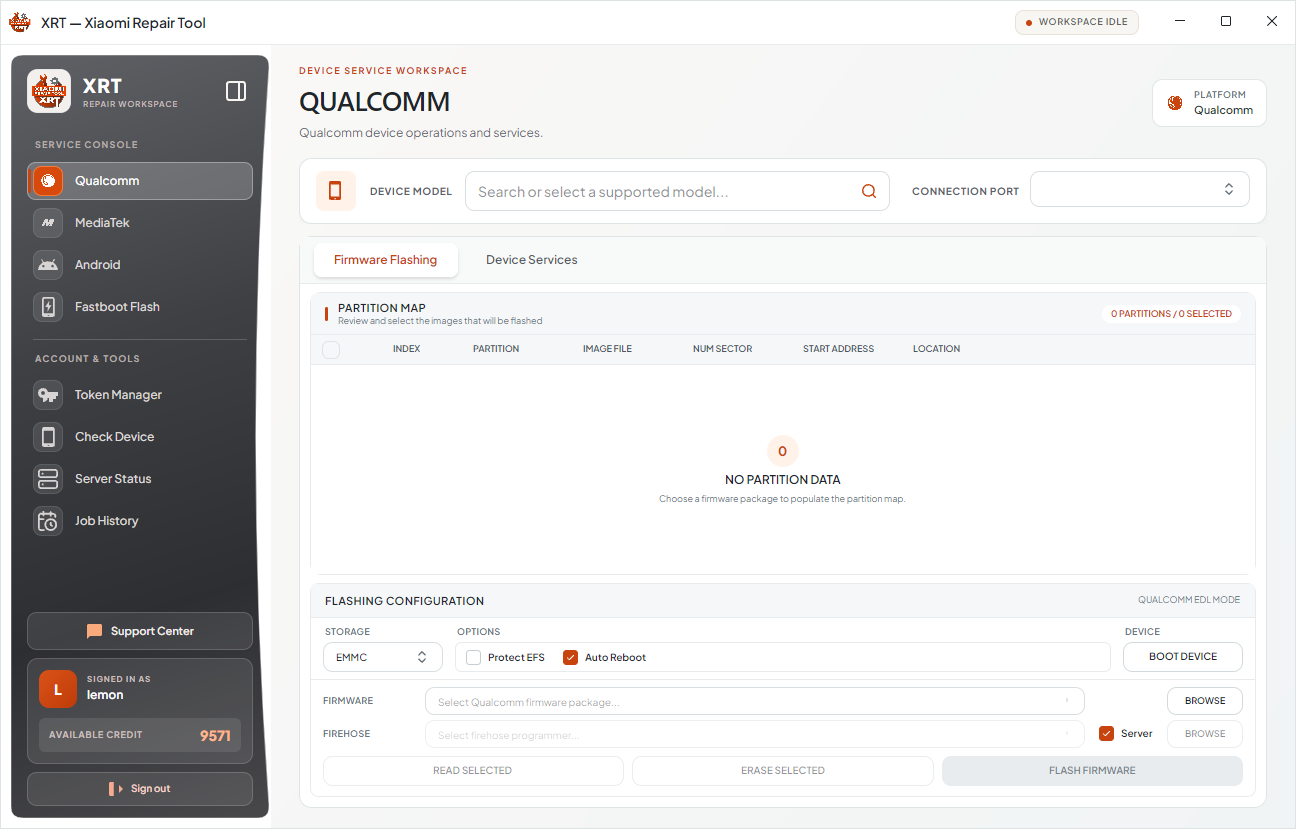
INTERACTIVE PREVIEW.
Built for the work
behind every device.
Explore the tools available in your Xiaomi Repair Tool workspace.
One place.
More possibilities.
Move between platforms and keep your workflow in view, from device connection to the final operation.
Get the desktop tool ↗01Qualcomm servicingAuthentication & device operations
Access Qualcomm authentication and flashing workflows from a dedicated workspace. Available operations depend on your device and service.
02MediaTek workspaceFirmware & platform tools
Work with supported MediaTek devices, firmware files and download modes in one organized interface.
03Android & FastbootDevice commands & flashing
Use Android and Fastboot commands, manage supported slots and select firmware partitions for Fastboot flashing.
04Credits & historyKeep your work in view
Manage your account and credits, check service availability and review operation history in the tool.
From connection
to completion.
A clearer path through your everyday device servicing workflow.
Choose your workspace
Select the platform and operation that match your device.
Prepare your device
Connect your device and choose the required model or files.
Start with confidence
Review your selection and follow the operation in the log panel.
Keep track
Review the result and continue with your next task.
Know before
you begin.
Current server availability and credit cost per operation.
Loading services…
Availability and pricing are provided by the server and may change.
Last updateYour workspace,
ready to go.
Download the official XRT desktop client.
Loading downloads…
Better service
starts together.
Find a reseller or distributor for credits and local support, or access the dedicated reseller portal.
Find your connection.
Let's get to work.
Your next device is waiting.